How to disable IPv6 on VPS running Ubuntu? Read this guide now to learn more
1. Log in to your Tothost account
First, you need to log in to your Tothost account at https://billing.tothost.vn/.
If you don’t have an account, please select a package that suits you and register an account on the service page.
2. How to upgrade VPS TOT M and VPS TOT D packages in the TOTHOST management panel
To upgrade the configuration of the TOT M or TOT D package you are currently using, you can follow these steps:
- Go to “Services” => “Manage Services”
- Select the package you want to upgrade
- Click the green “upgrade” button
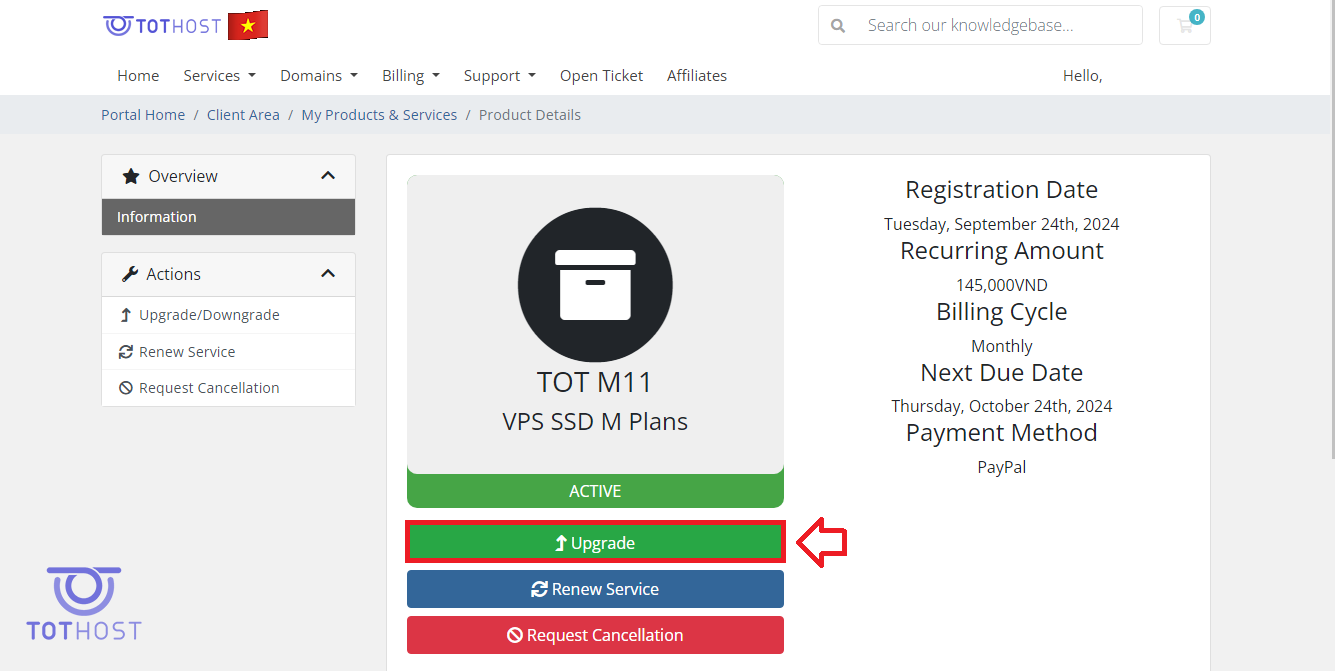
The system will then display the packages you can upgrade to. For example, upgrade from M11 to M12, M22, etc.
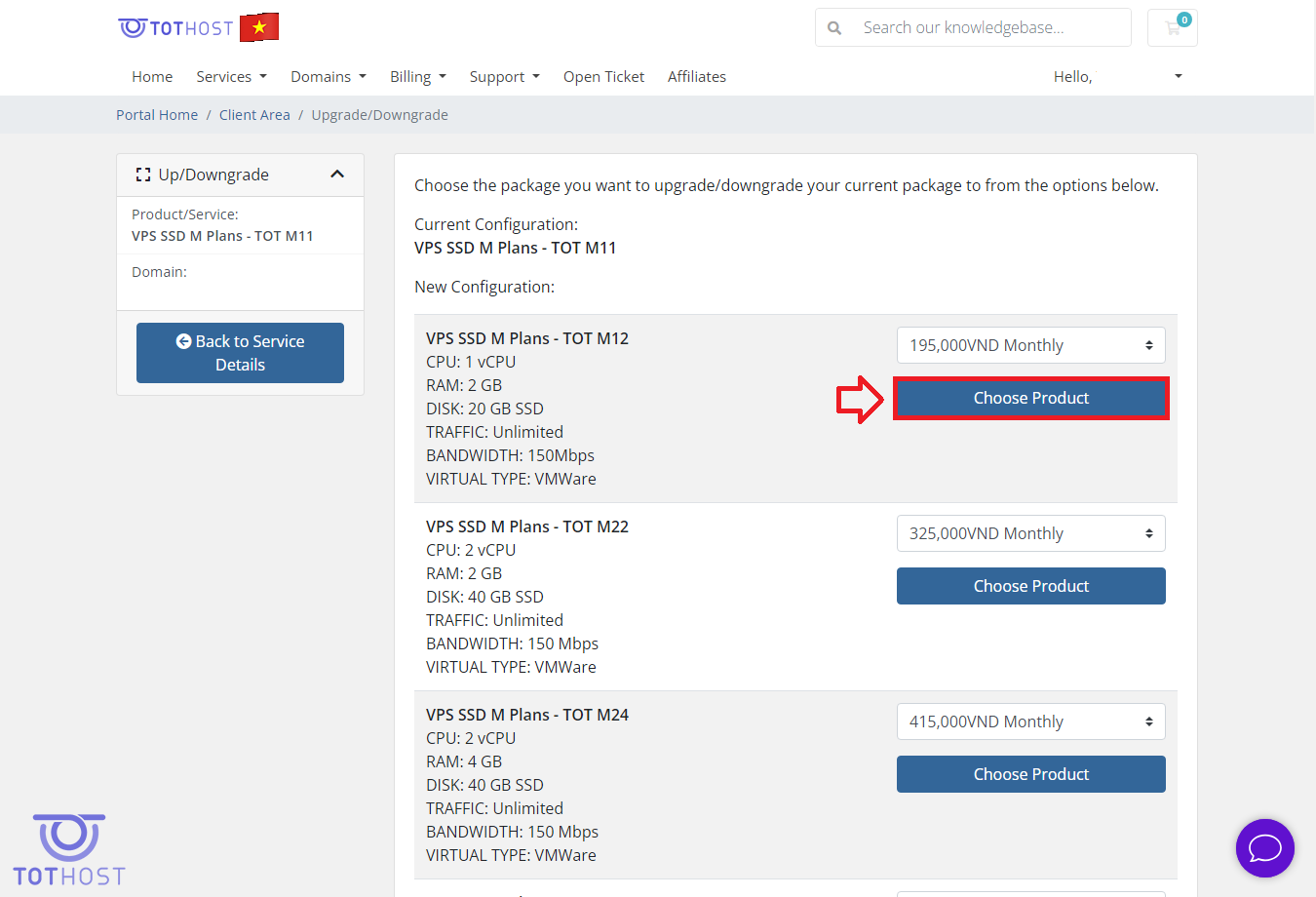
After selecting the configuration you want to upgrade, choose the payment method and proceed with payment.
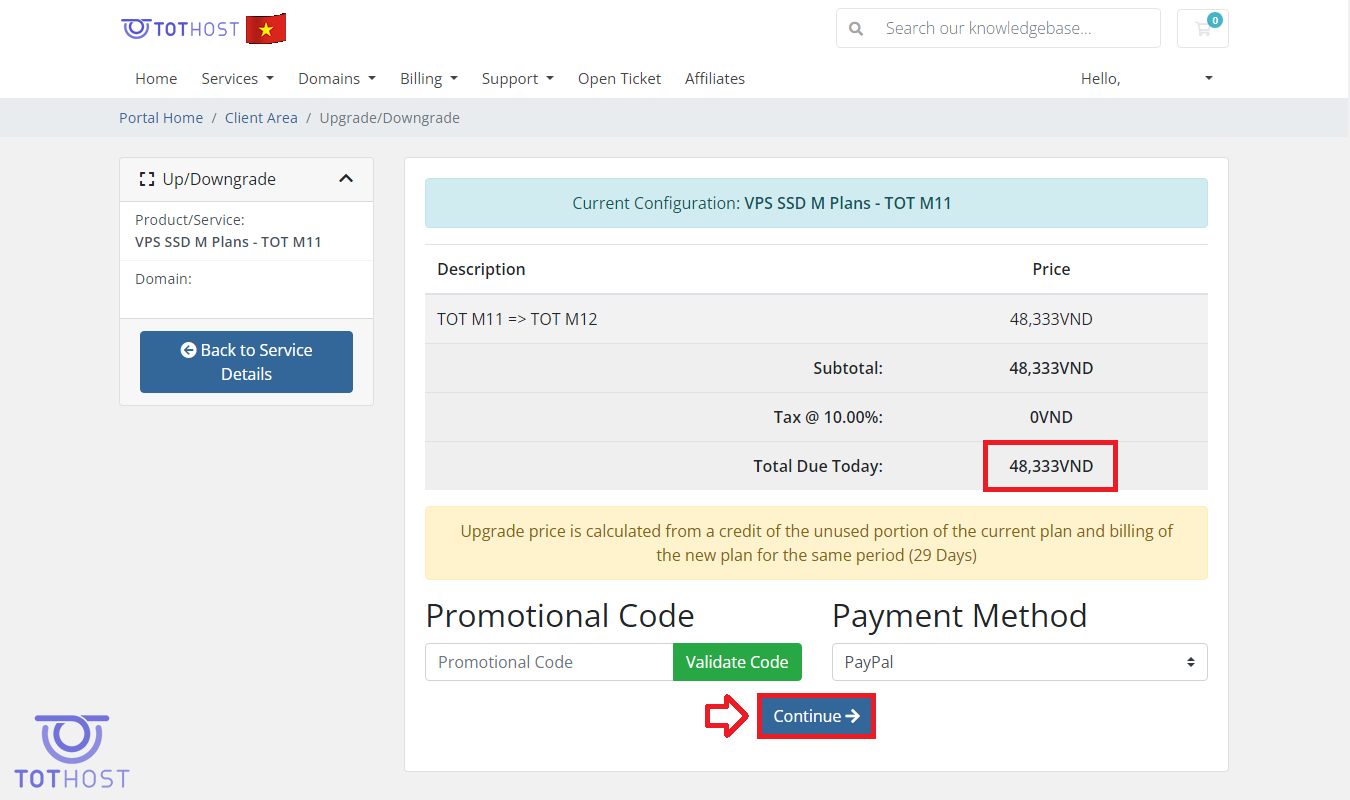
After payment, please wait a few minutes. The system will automatically activate your new service.